To make an online booking you need to create your own account on our website. This account will serve as your identifier and you can use it to manage your bookings and communicate directly with the property owner via the message box.
Account registration is easy and takes less than a minute:
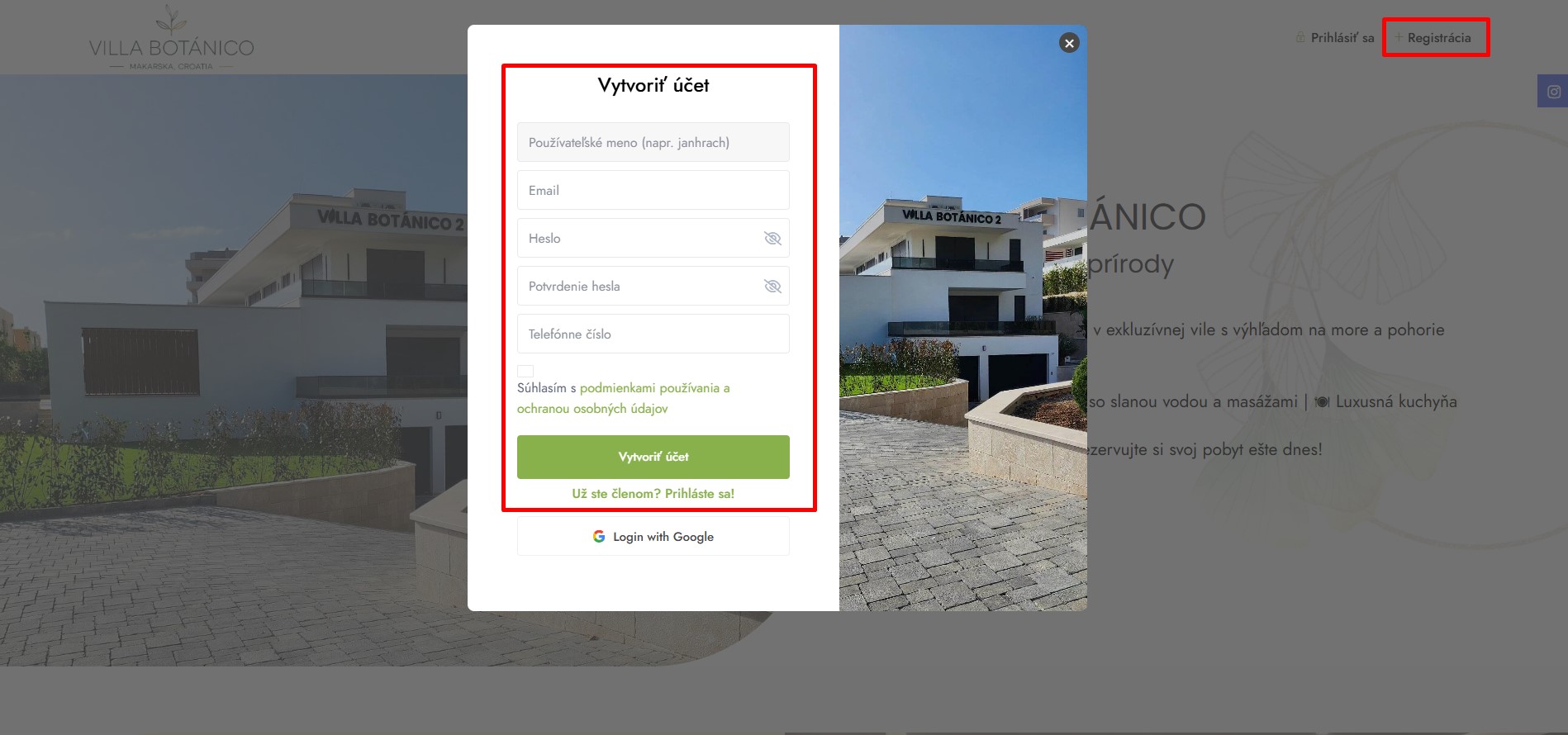
Click top right to register button
Fill in your username, password, email and phone. (The login name must not contain spaces and special characters such as dot, comma, etc. We recommend using the form (firstnamelastname) together
Agree with terms of use
Click to create an account
Step 2 - logging into your account
After successful registration you can log in:
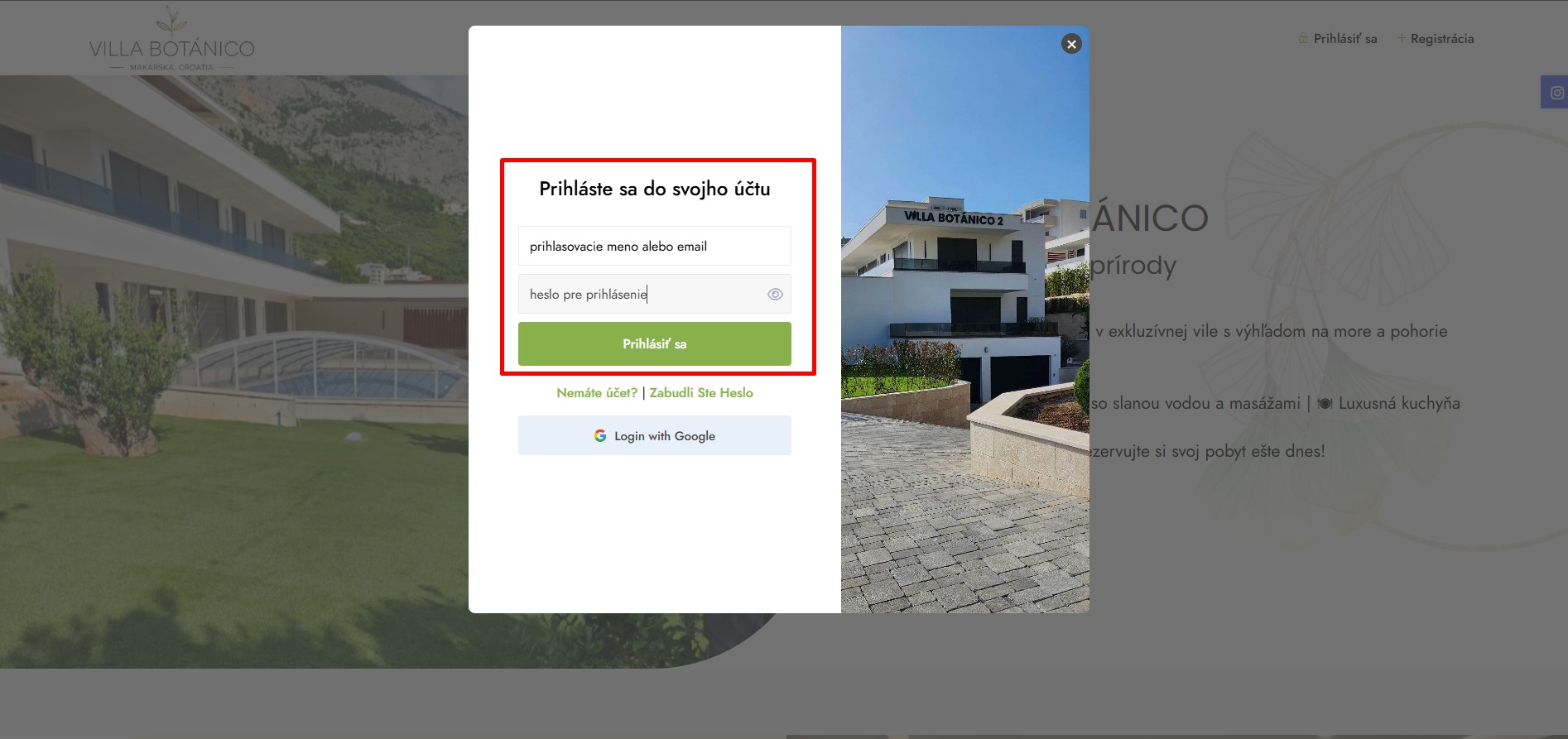
Click top right to log in button
Fill in your login name (or email address) and password
Click on Sign in
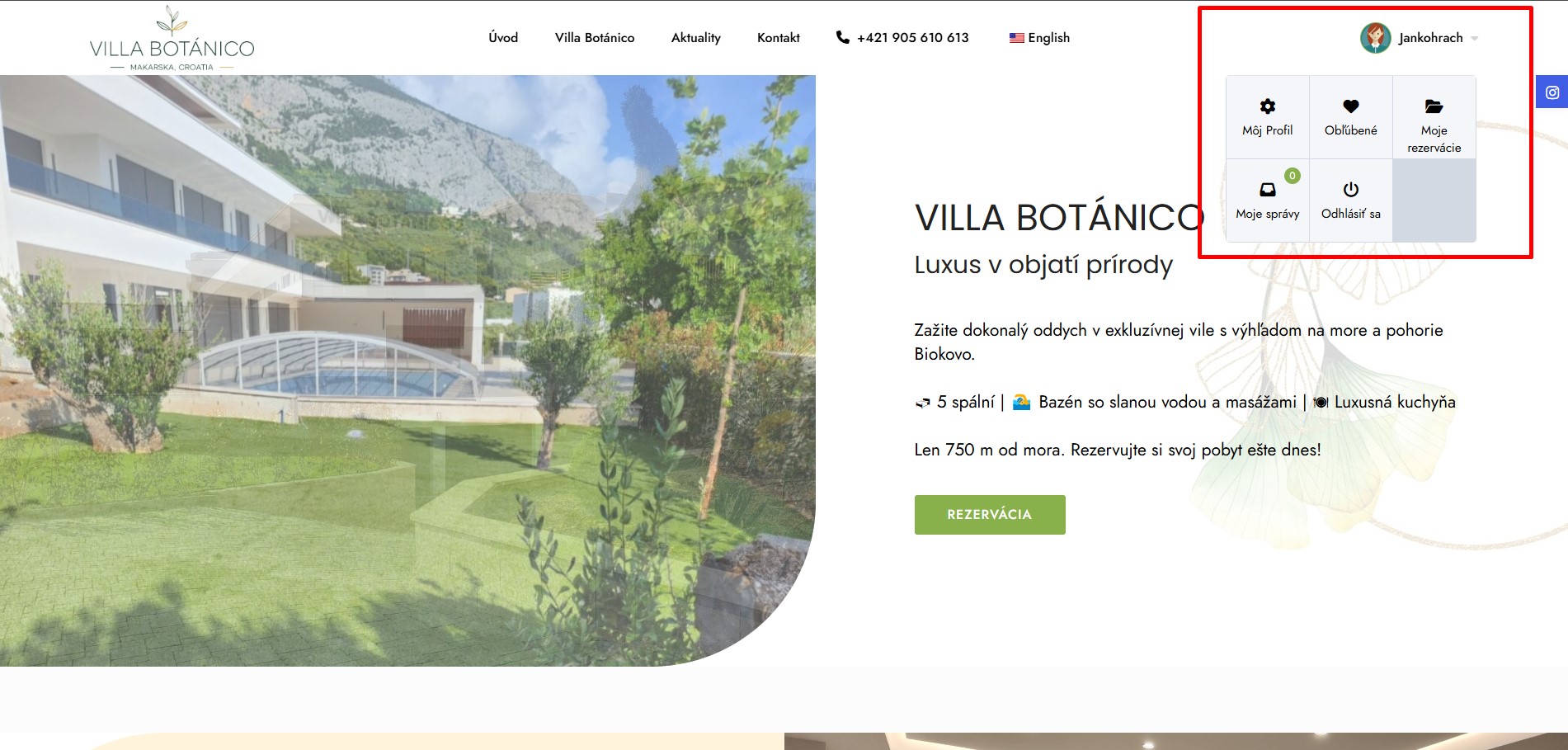
After logging in, you will be redirected to the home page where you will see your login in the top right corner.
After clicking your name, you can manage your profile (name, address...) and manage your bookings or message box through which you can send and receive messages from the owner of the accommodation.
Step 3 - booking accommodation
Once you have successfully logged in, you can make a reservation:
Go to Villa Botánico in the navigation menu
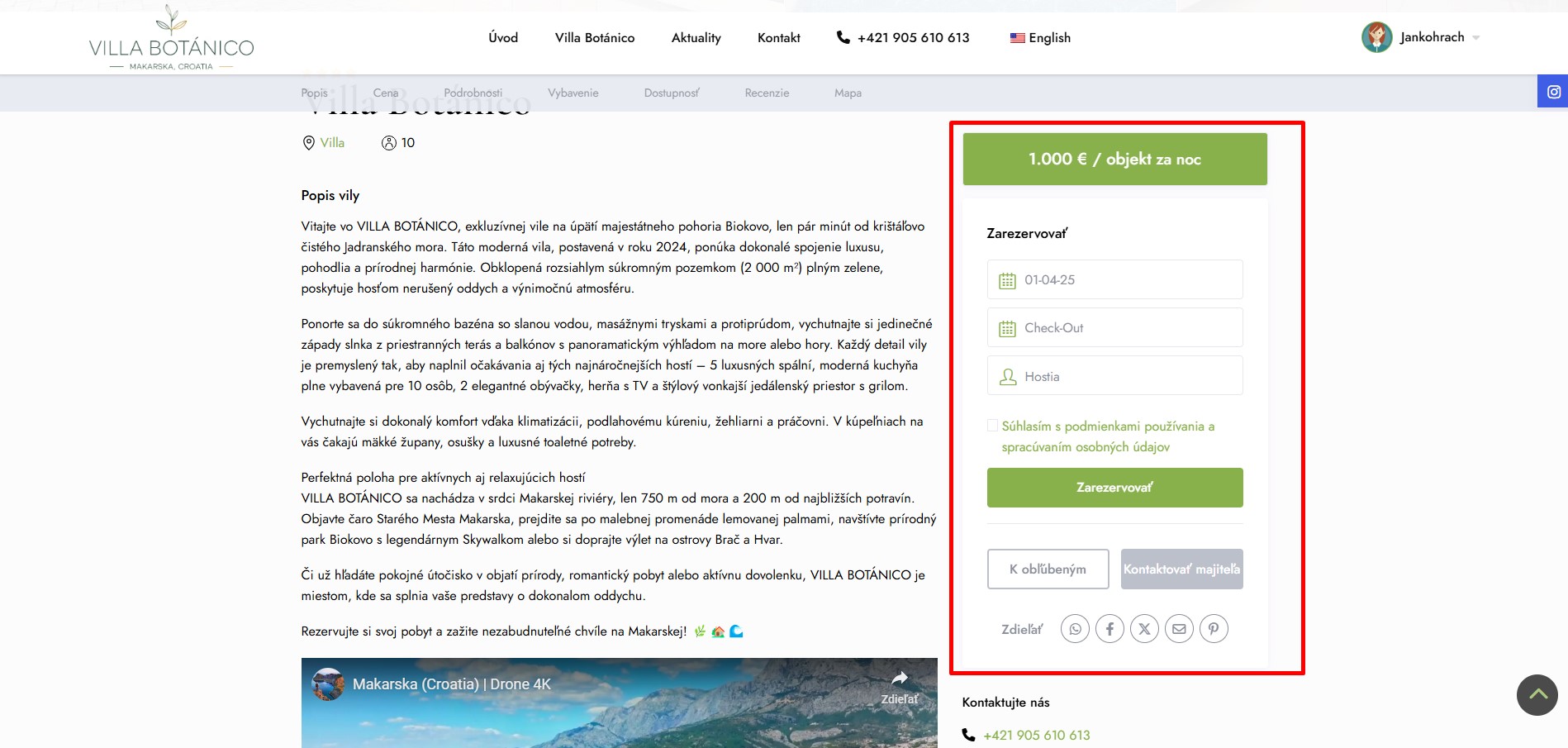
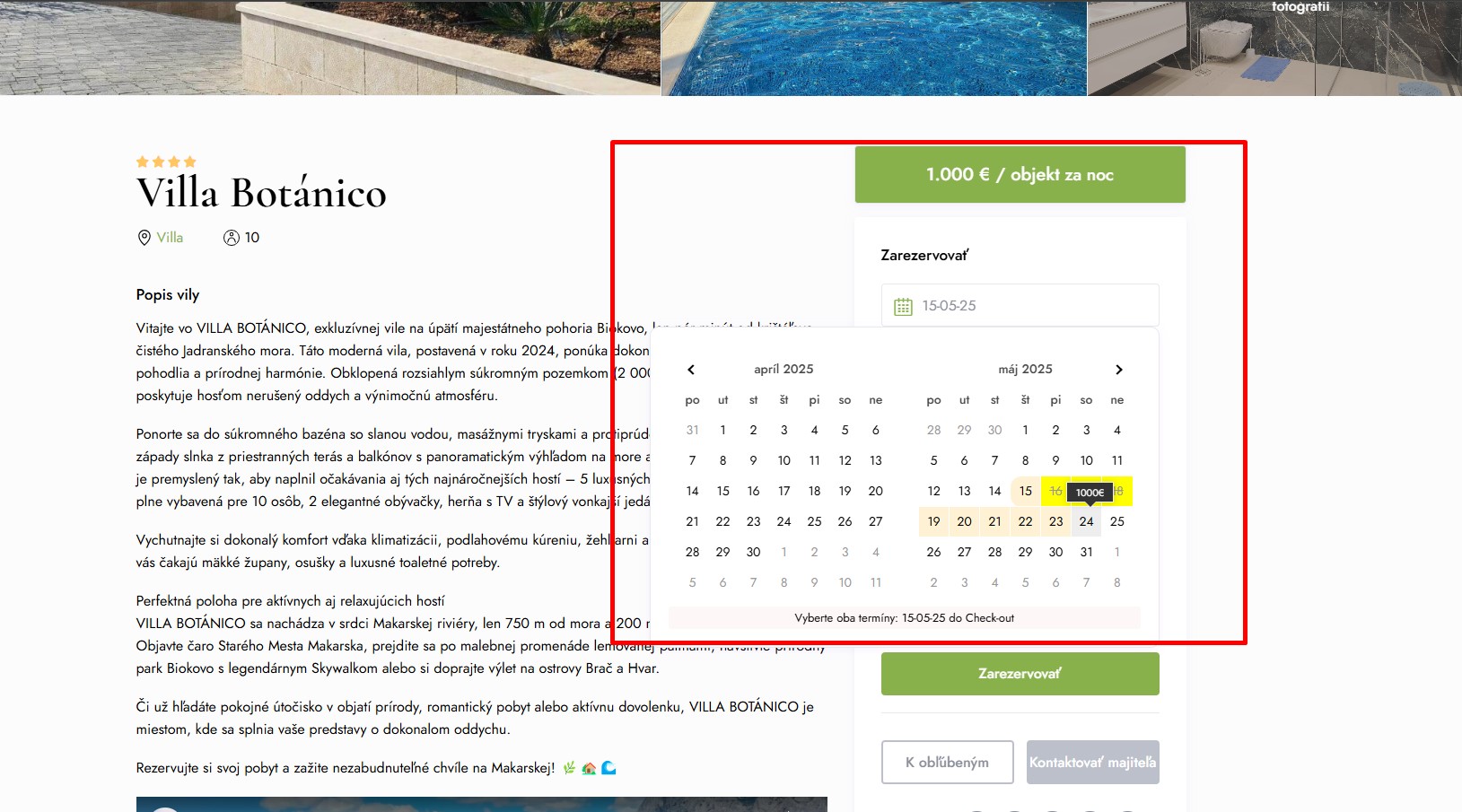
On the right side, you can select the check-in and check-out dates via a simple calendar interface.
When the calendar opens, select check-in and check-out dates (from - to)
The yellow box in the calendar indicates the minimum number of nights. Less than 4 nights cannot be selected.
After selecting the date, select the number of guests (number of adults, children and infants)
Once you have selected all the mandatory parameters, you will see the estimated total amount.
Agree to the terms of use and privacy policy
Click Book Now.
Your reservation is DONE
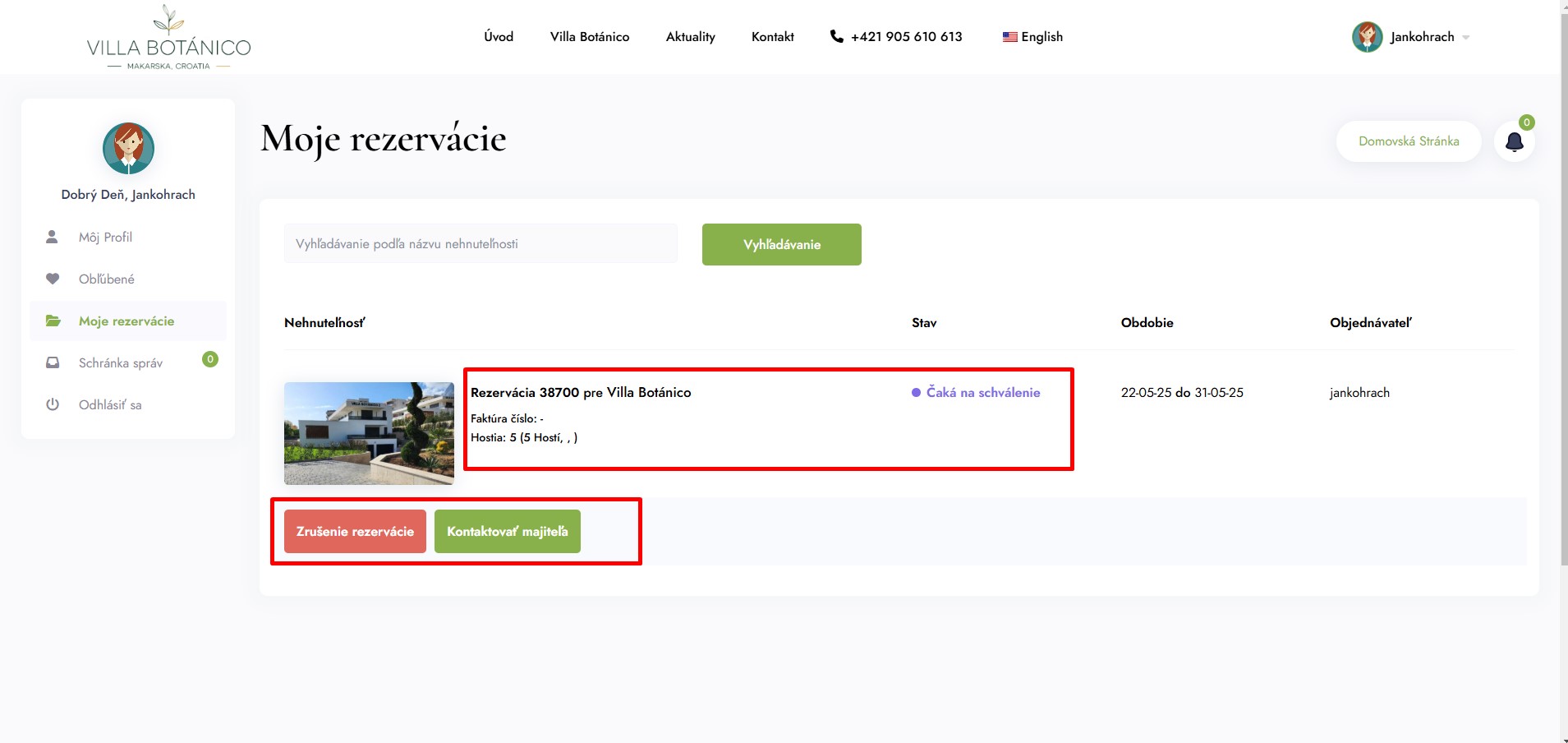
Wait for approval
Your reservation must be approved by the property owner. You can see the status of your reservation in your account after you log in. From there you can also cancel your booking. You will also be notified by email when your booking has been approved.